Dashboard
Net worth across every account, the records it has set and the series behind each number.
Brokerage, bank, IKE and IKZE, crypto. Built from the statements your institutions already give you, on a server you control.
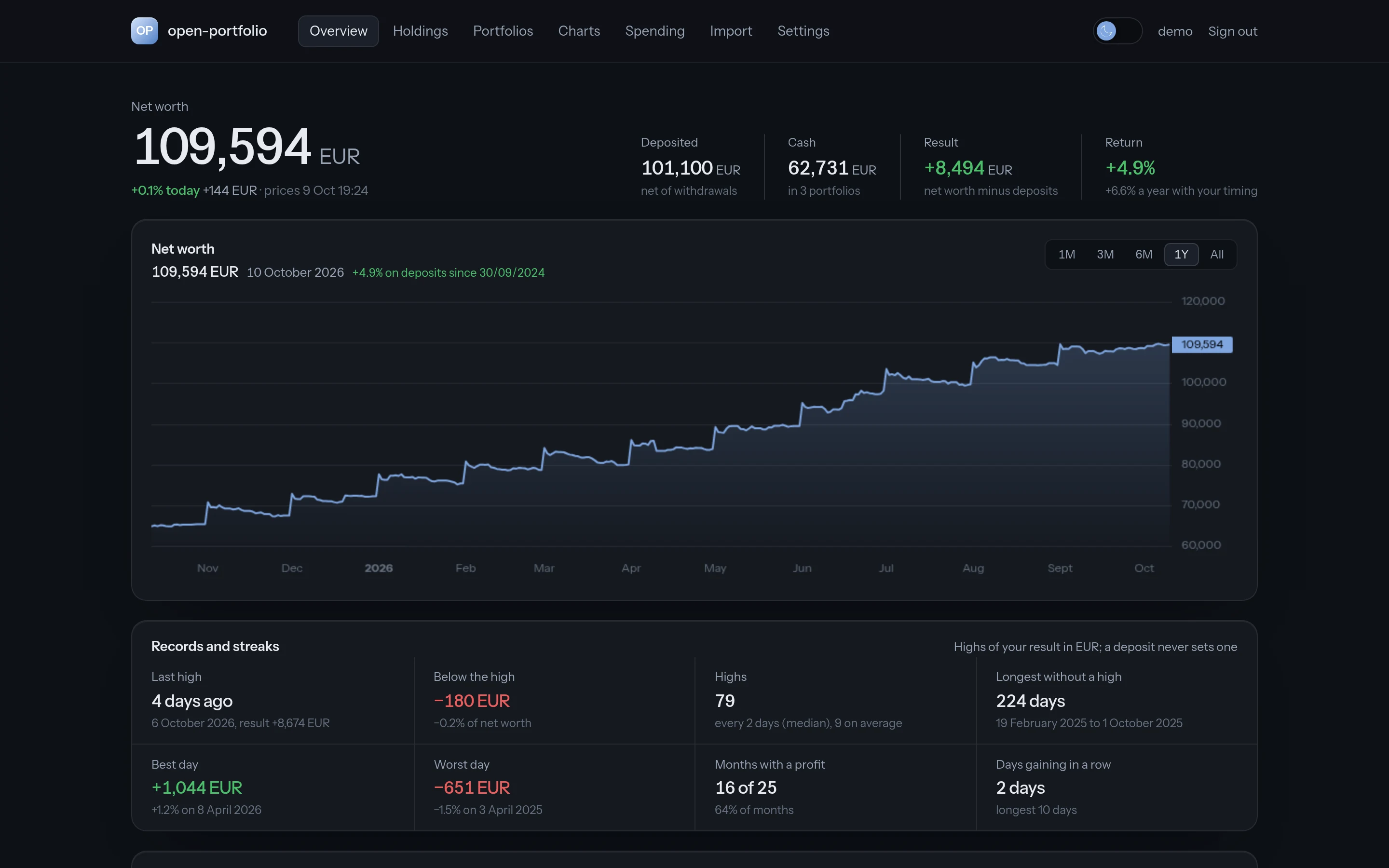
Net worth across every account, the records it has set and the series behind each number.
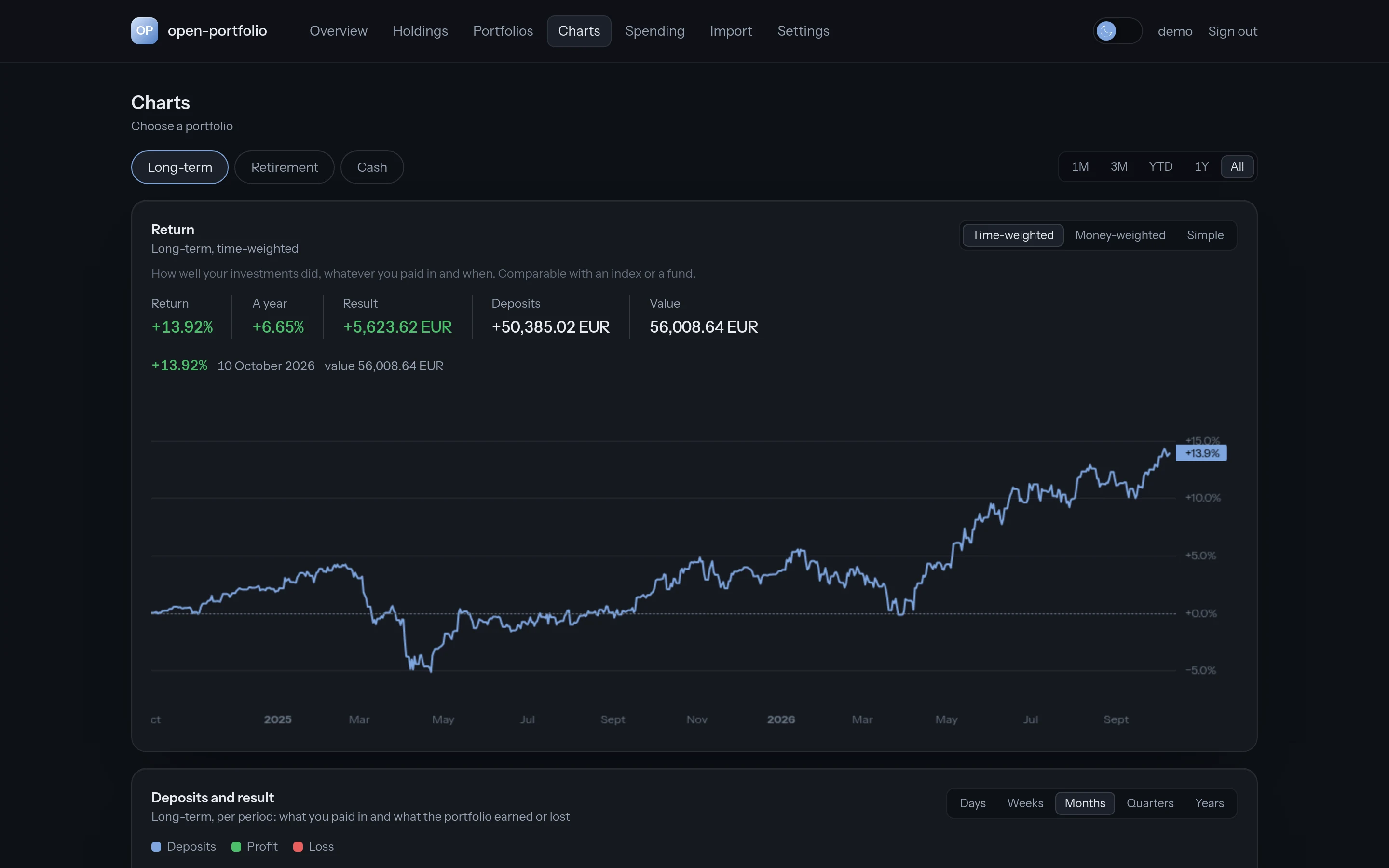
Time-weighted and money-weighted returns, drawdowns, a heatmap of months, allocation by asset class, dividends and correlations.
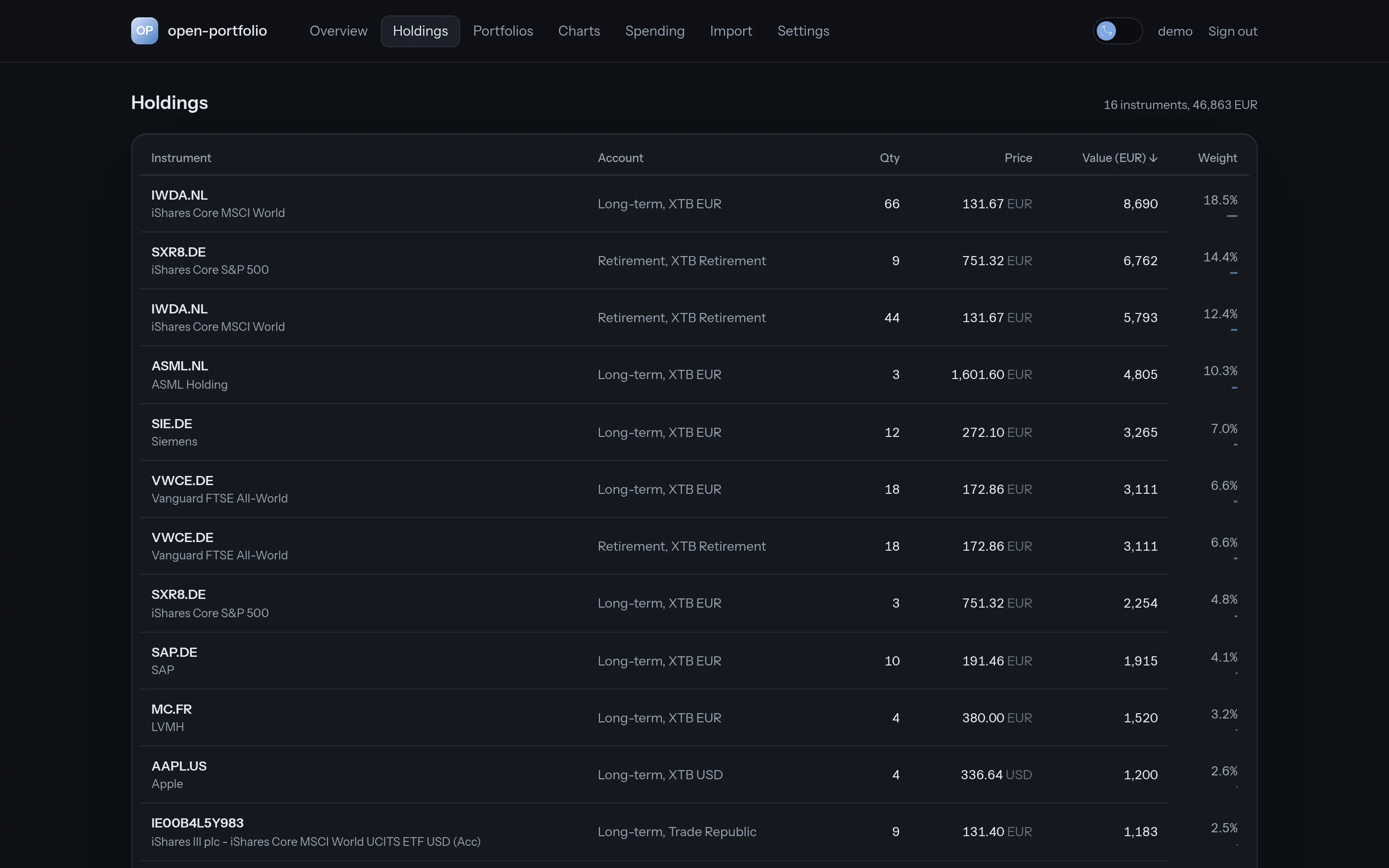
Each position with its quantity, cost and current value, priced from Yahoo with NBP exchange rates.
An XLSX, PDF or MT940 file, the export your bank or broker already offers.
Every line becomes a ledger entry. Importing the same file twice never counts anything twice.
Returns, drawdowns, allocation and dividends are computed from the ledger, so every figure is traceable to a line.
No cloud account, no data broker, no analytics. Statements are read on this machine and deleted after import; only your ledger stays.
Licensed under the AGPL. See how each figure is calculated, run it on your own server or add an importer for your bank.
Source codePolish institutions offer no customer APIs, so open-portfolio reads the statements you can download.
Three commands once the Docker image lands. Until then, the README walks through the manual setup.
Read the READMEgit clone https://github.com/ksterajewicz/open-portfolio
cd open-portfolio
docker compose upA hosted version is being considered. Leave your e-mail and tell us what would make it worth paying for.
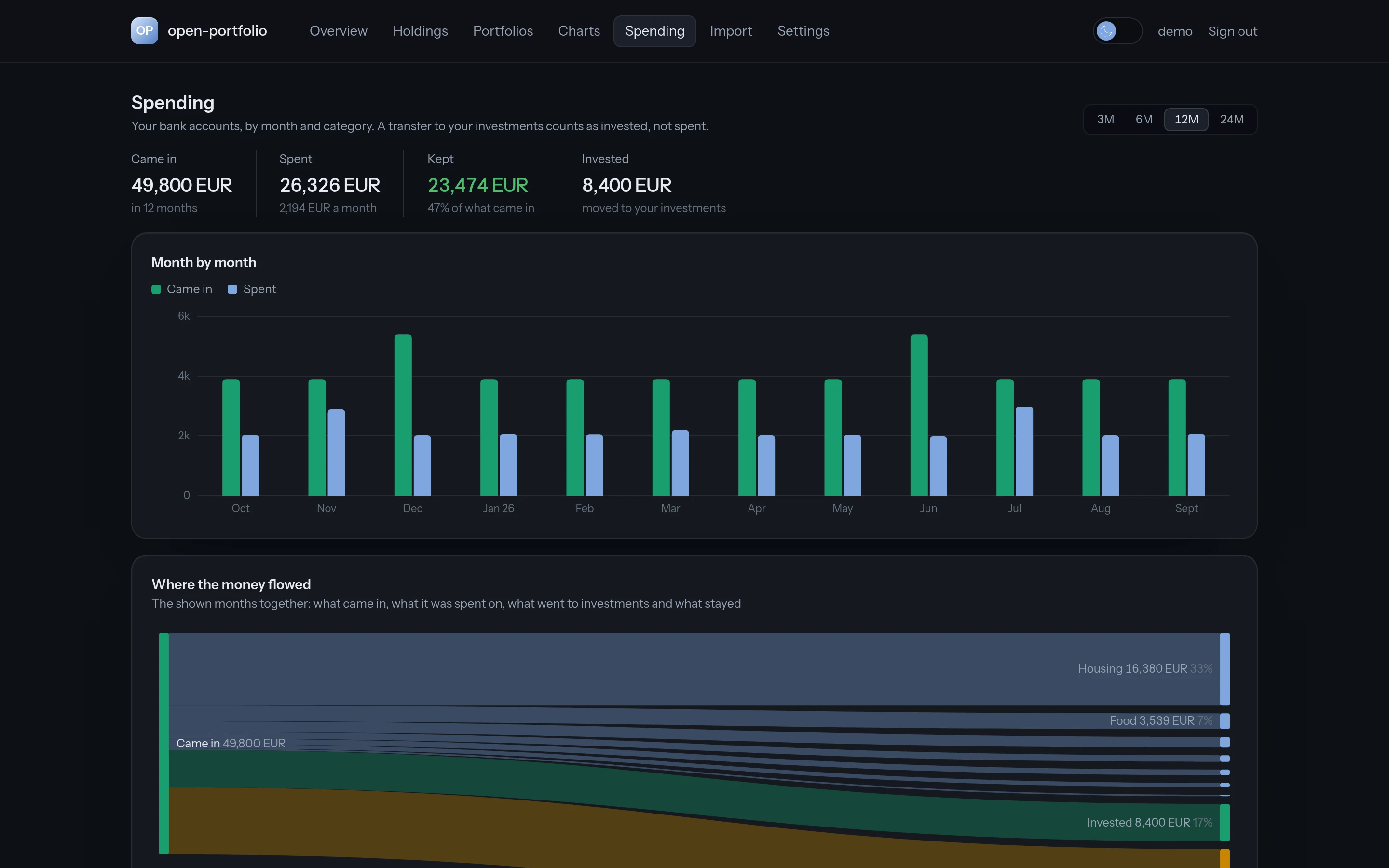
The demo runs on synthetic data, read-only, and resets on a schedule.
Open the demo